OTT migration
How to Migrate from Vimeo OTT to Another Platform: A Step-by-Step Guide
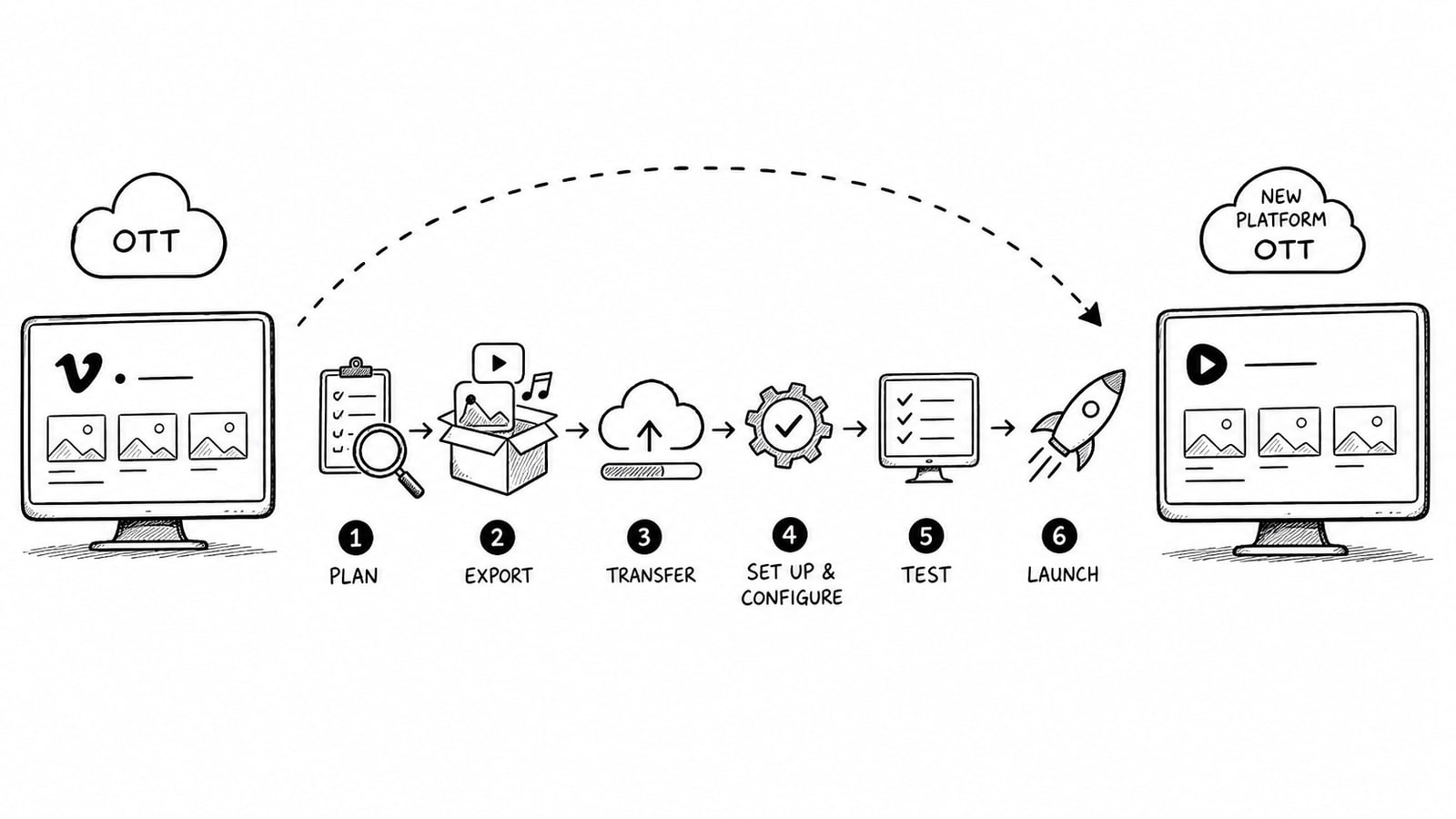
If you need to migrate from Vimeo OTT to another platform, the safest approach is to treat it as an operational migration, not just a video upload project. You need a clear inventory of content, subscriber plans, apps, payment flows, analytics, domain settings, and customer communications before you move anything.
Quick Answer
A successful Vimeo OTT migration usually follows eight stages: audit your current setup, define migration goals, choose the replacement platform, export or recreate content and metadata, rebuild monetization and app settings, test everything in a staging environment, communicate the change to customers, and launch with a rollback plan. The exact order may shift, but skipping any of those areas creates avoidable churn and support issues.
Key Takeaways
Do not start by re-uploading video files. Start by mapping products, subscriptions, apps, and customer flows.
Your biggest migration risks are billing disruption, broken app access, missing metadata, and poor customer communication.
Vimeo OTT supports subscriptions, transactional sales, and branded apps, so your replacement platform needs to match the parts of that stack you actually use.
Exportable reports and analytics matter. Save subscriber, revenue, and viewership data before cutover.
If you want more control over vendor lock-in, an OTT setup with a Bring Your Own Account model can be easier to manage long term.
Why Teams Decide to Migrate from Vimeo OTT
Vimeo OTT is designed for subscription video businesses and includes content management, monetization options, analytics, and branded app support on higher-tier plans. For some publishers that is enough. For others, the stack becomes limiting once they need tighter control over app ownership, infrastructure costs, feature roadmap, or third-party integrations.
Migration usually happens for one of four reasons: pricing pressure, platform flexibility, branding and app control, or operational ownership. Vimeo's help documentation also makes clear that branded apps and some advanced features depend on Enterprise-level arrangements, so businesses often reassess whether the platform still fits their next stage.
Before You Migrate from Vimeo OTT, Audit What You Have
A migration starts with a complete inventory. Vimeo OTT can include videos, collections, subscription products, transactional products, branded apps, analytics exports, and customer records depending on your setup. If you do not document each of those pieces, you can migrate content while still breaking the business.
Create an asset checklist
Video library: source files, posters, captions, subtitle tracks, trailer assets, categories, collections, and tags.
Commerce setup: subscription tiers, free trials, coupons, rental rules, purchase products, taxes, and payout dependencies.
Customer data: active subscribers, churned users, trial users, user roles, CRM tags, and consent records.
App and delivery stack: web domain, SSL, iOS and tvOS accounts, Google Play account, Roku, Fire TV, analytics SDKs, and marketing integrations.
Reporting: subscriber reports, revenue statements, top video data, viewership exports, and historical benchmarks.
Decide what must be preserved
Not every setting is worth recreating exactly. Decide early which items are business critical. Most teams should preserve active subscribers, pricing logic, content structure, app access, search visibility, and analytics continuity. Lower-priority items often include old landing page experiments, unused discount codes, or legacy collections that no longer drive viewing.
Step 1: Define Your Migration Goals
Write down the business reason for moving before you compare vendors. A migration designed to reduce ongoing fees looks different from one designed to improve app control or add custom monetization.
Cost goal: lower platform overhead, payment overhead, or storage overhead.
Product goal: better apps, better CMS control, more flexible paywalls, or regional features.
Operational goal: own developer accounts, hosting accounts, video pipeline, or customer data workflow.
Growth goal: add better analytics, attribution, localization, or promotional tools.
Step 2: Choose the Right Replacement Platform
Do not choose a replacement based only on front-end design or headline pricing. Match the new platform against the exact Vimeo OTT capabilities you use today. According to Vimeo's current help documentation, Vimeo OTT supports subscriptions, transactional products, analytics, and branded apps, with some branded app capabilities and monetization flows available only on Enterprise.
Use this comparison framework
Video delivery: streaming quality, DRM support, subtitle handling, geo-blocking, and live support.
Commerce: SVOD, TVOD, AVOD, trials, promo codes, local payment methods, tax handling, and app store billing.
Apps: supported devices, app ownership, release control, maintenance model, and update cadence.
CMS and operations: metadata model, editorial workflow, user roles, automation, and integrations.
Ownership: who controls the developer accounts, CDN account, storage account, analytics account, and payment relationships.
Where BitByte3 may fit
If your main reason to migrate is control and cost transparency, BitByte3 may be worth evaluating. BitByte3 presents itself as a startup-focused OTT provider with web, mobile, and TV support, flexible monetization, and no-code operational tooling. Based on the solution details provided for this article, BitByte3 can also be positioned with a Bring Your Own Account model, meaning the client keeps core service accounts in its own name, such as a Cloudflare Stream account for video delivery. That structure can reduce dependency on a single vendor and make storage or usage billing easier to track directly.
For migration buyers, that matters because long-term platform cost is not just a subscription line item. It also includes where your media is stored, who owns the infrastructure accounts, and how easy it is to move again later if the business changes.
Step 3: Map the Data You Can Export vs. Rebuild
Every OTT migration includes two workstreams: items you can export and items you must recreate. Subscriber reports and some analytics can be exported from Vimeo OTT. Product logic, customer entitlements, and app behavior often need careful reconstruction inside the new system.
Useful exports to collect before cutover
Subscriber reports and payout history.
Viewership and top-video reports for performance baselines.
Video metadata, collection structure, artwork, subtitles, and SEO-facing page text.
App store credentials, bundle identifiers, store listings, screenshots, and release notes.
Customer support macros, onboarding emails, and billing FAQs that will need updating after launch.
If a data point affects billing, access, or legal compliance, confirm the export path with the current vendor before finalizing the timeline. Exact portability can vary by plan, contract, and how your stack was originally configured.
Step 4: Rebuild the Video Library and CMS Structure
Once the asset inventory is done, move the library in layers. Start with source media and playback requirements, then recreate metadata, category structure, and merchandising. If you reverse that order, your editors spend extra time fixing broken references later.
Migration checklist for content operations
Upload or ingest the master files into the new video pipeline.
Reattach captions, subtitle files, thumbnails, trailers, and poster images.
Recreate collections, categories, season and episode ordering, and any homepage rails.
Check playback rules such as geo-restrictions, DRM, preview availability, and entitlement logic.
Run a sample QA pass across desktop, mobile, and TV experiences before importing the rest of the catalog.
Step 5: Rebuild Subscription and Payment Flows
Billing is where migrations fail in public. Vimeo OTT supports subscription products and transactional products, and its current pricing documentation shows different fee structures for SVOD and TVOD. Your replacement platform has to recreate not just the front-end checkout, but also the pricing logic and access rules behind it.
Map every active product to a matching plan in the new platform. Include monthly and annual billing, coupons, free trial rules, renewal messaging, taxes, and app-store purchasing behavior. If you have subscribers paying through app stores, verify how those subscriptions will be handled before you announce a migration date.
Customer billing questions to settle early
Will existing subscribers be migrated automatically, invited to reactivate, or manually re-enrolled?
Will billing dates change for annual or monthly customers?
What happens to promo codes, grandfathered plans, gifted access, and trial users?
Which support team handles failed payments or access disputes during the cutover window?
Step 6: Plan the App, Domain, and Identity Handover
For many OTT businesses, the migration is really an app migration. Vimeo's current help articles state that customers own the Apple developer account for Vimeo OTT branded iOS and tvOS apps, and that account standing remains the customer's responsibility. Similar ownership guidance exists for Google Play branded apps. That is useful because it means you should gather all developer credentials and release permissions before the new build process begins.
Confirm who owns each store account and who can approve releases.
Keep bundle IDs, package names, and app listings documented.
Prepare updated privacy policy, terms, support links, and in-app messaging.
Plan redirects and SEO preservation for any website URL changes.
Step 7: Test the New OTT Platform Before Launch
Do not treat QA as a final afternoon task. Streaming products break in subtle ways: one plan may fail only on Roku, one subtitle track may be missing only on tvOS, or one renewal flow may behave differently in an app purchase context. Build a written test matrix and run it before launch.
Minimum QA coverage
Anonymous browsing, signup, login, password reset, and account creation.
Subscription purchase, renewal, cancellation, failed payment, and coupon flows.
Playback start time, subtitle switching, quality adaptation, geo-blocking, and entitlement checks.
Analytics events, attribution integrations, email triggers, and support workflows.
Web, iOS, Android, Apple TV, Android TV, Roku, and Fire TV where applicable.
Step 8: Communicate the Migration to Customers
Even a technically perfect migration can produce churn if customers feel surprised. Communicate early, repeat the message, and explain what changes for users in plain language. Focus on login steps, billing impacts, app updates, and any action they must take.
Recommended communication sequence
Announcement email explaining why the platform is changing and the customer benefit.
FAQ page covering billing, app updates, passwords, and access timing.
Reminder email 7 days before cutover.
Day-of-launch message with direct support paths and app update instructions.
Post-launch follow-up with the most common troubleshooting links.
Common Mistakes to Avoid
Migrating content without first mapping billing and entitlements.
Failing to export historical reports before access changes.
Assuming app-store subscriptions will move cleanly without custom handling.
Treating metadata, captions, and artwork as secondary work.
Launching without a support plan for billing confusion and app login issues.
First-Hand Experience and Outcomes
Add a real migration case study here if available, including the original Vimeo OTT setup, destination platform, migration timeline, subscriber retention outcome, and lessons learned. Do not publish a fictional example. If your team has completed migrations with BitByte3 or another partner, this is the section where real operational proof should appear.
Trust, Methodology, and Review Process
This guide is based on currently available Vimeo help documentation covering Vimeo OTT features, pricing, reporting, and branded app account responsibilities, together with publicly available BitByte3 solution pages. Where contract-specific migration details may vary by vendor plan or implementation, readers should verify the exact export and billing handover process directly with their current provider and destination platform.
FAQ
How long does it take to migrate from Vimeo OTT to another platform?
It depends on the size of your catalog, whether you have branded apps, and how complex your billing setup is. A small web-only move can be relatively fast, while a full multi-app migration with subscription continuity may take several weeks or longer.
Can I move my subscribers from Vimeo OTT automatically?
Subscriber handling depends on how accounts, payment methods, and app-store subscriptions are structured. Some migrations support direct transition workflows, while others require customer reactivation or re-consent. Confirm the exact process before announcing your migration timeline.
What data should I export before leaving Vimeo OTT?
At minimum, export subscriber reports, payout and revenue records, content metadata, artwork, subtitles, app listing information, and historical analytics used for reporting. If a dataset affects billing, entitlements, or compliance, preserve it before cutover.
What should I look for in a Vimeo OTT alternative?
Look at video delivery, monetization models, branded app support, CMS flexibility, analytics, account ownership, and total cost of operation. The right platform is the one that matches your business model and gives you the level of control you actually need.
Why does a Bring Your Own Account model matter in OTT?
A Bring Your Own Account model can give you more ownership over services such as video infrastructure or media delivery accounts. That may reduce lock-in, improve billing visibility, and make future platform changes easier because the core account stays in your company's name.
Is BitByte3 a fit for teams leaving Vimeo OTT?
BitByte3 may be a fit for startups and operators that want multi-platform OTT delivery, flexible monetization, and a more ownership-oriented setup. It is especially relevant if your team wants an alternative that can align infrastructure accounts directly with the client rather than keeping every dependency inside one closed vendor stack.
Conclusion
To migrate from Vimeo OTT to another platform successfully, think beyond content transfer. Audit the full business, choose the destination based on ownership and operational fit, rebuild billing and app flows carefully, and test before you announce the switch. If your team wants a more flexible OTT setup with clearer infrastructure ownership, evaluating options such as BitByte3 can make sense as part of that process.
For internal linking, consider related resources such as https://bitbyte3.com/solutions/streaming-platform, https://bitbyte3.com/solutions/video-hosting, and a companion blog post at https://bitbyte3.com/blog/[relevant-topic-slug].
Sources and Further Reading
Vimeo Help Center: What is Vimeo OTT? https://help.vimeo.com/hc/en-us/articles/12426980146065-What-is-Vimeo-OTT
Vimeo Help Center: Vimeo OTT pricing breakdown https://help.vimeo.com/hc/en-us/articles/12425768622481-Vimeo-OTT-pricing-breakdown
Vimeo Help Center: Getting Started with Vimeo OTT https://help.vimeo.com/hc/en-us/articles/12425776776721-Getting-Started-with-Vimeo-OTT
Vimeo Help Center: Subscribers Report on Vimeo OTT https://help.vimeo.com/hc/en-us/articles/12427225171217-Subscribers-Report-on-Vimeo-OTT
Vimeo Help Center: Types of data and analytics provided by Vimeo OTT https://help.vimeo.com/hc/en-us/articles/12427247662737-Types-of-data-analytics-provided-by-Vimeo-OTT
Vimeo Help Center: How to create an Apple developer account for my Vimeo OTT branded iOS and tvOS apps https://help.vimeo.com/hc/en-us/articles/35291460365585-How-to-create-an-Apple-developer-account-for-my-Vimeo-OTT-branded-iOS-and-tvOS-apps
Vimeo Help Center: How to create a Google Play developer account for my Vimeo OTT branded Android apps https://help.vimeo.com/hc/en-us/articles/35291504642961-How-to-create-a-Google-Play-developer-account-for-my-Vimeo-OTT-branded-Android-apps
BitByte3: About https://bitbyte3.com/about
BitByte3: Streaming Platform solution page https://bitbyte3.com/solutions/streaming-platform
About the Author
R. Jabar
Marketing Strategist
R. Jabar is a marketing strategist who helps streaming and OTT brands turn complex product stories into clear, growth-driven messaging. She writes about audience acquisition, content monetization, and the marketing frameworks that help video platforms scale.
More from the blog
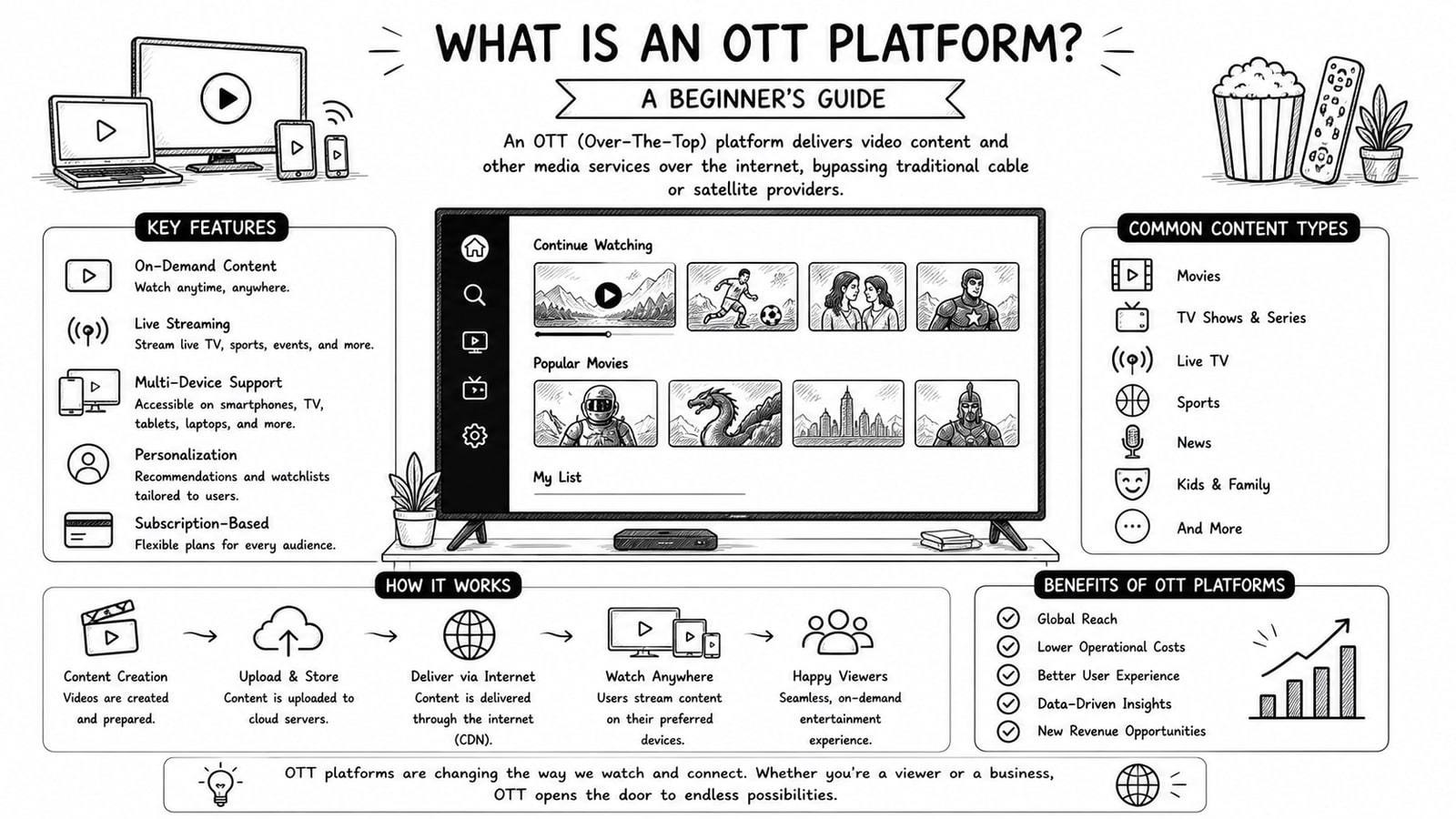
What Is an OTT Platform? A Beginner's Guide
A beginner-friendly guide to OTT platforms, how they work, key components, business models, and what to evaluate before choosing a solution.
Read
Vimeo OTT vs. Kaltura: Choosing the Best for Your Video Needs
A practical comparison of Vimeo OTT and Kaltura for teams evaluating pricing, customization, monetization, device reach, and long-term operational fit.
Read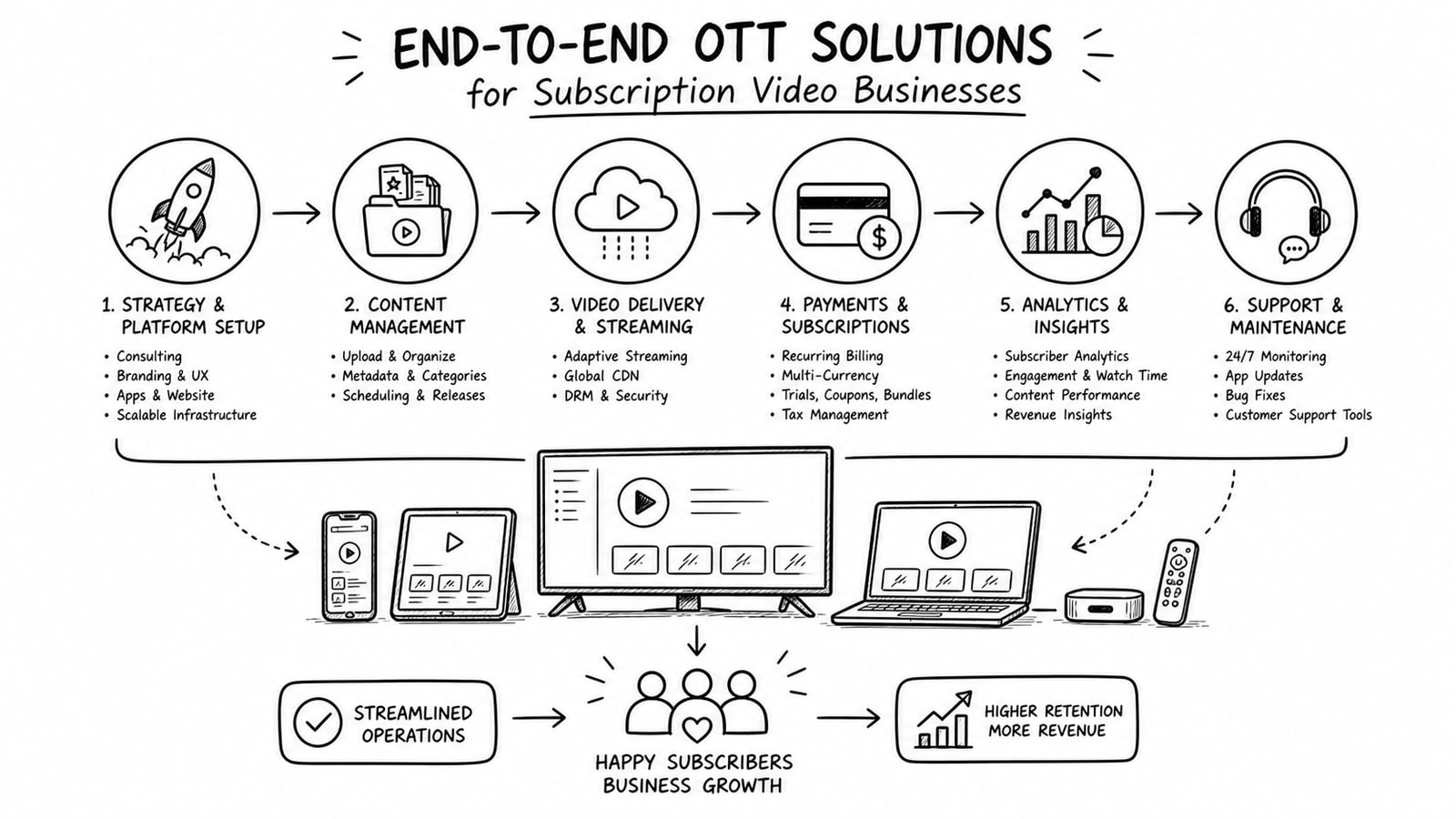
End-to-End OTT Solutions for Subscription Video Businesses: Streamline Your Operations
A practical guide to end-to-end OTT solutions for subscription video businesses, covering the operational layers that reduce complexity and where a bring-your-own-account approach from Bitbyte3 may fit.
Read