OTT Platforms
Vimeo OTT vs. Uscreen: Which Platform Is Right for You?
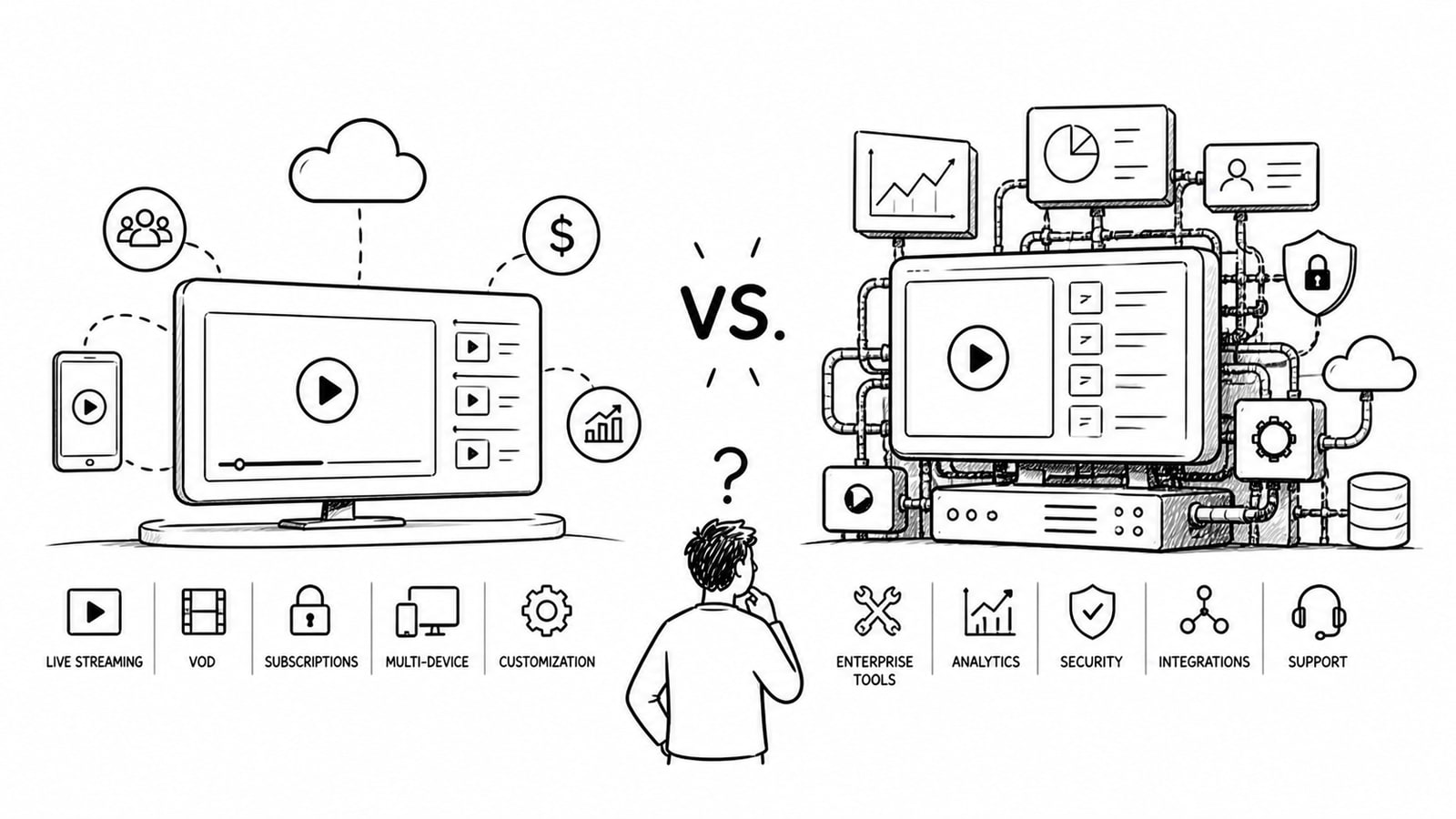
If you are comparing Vimeo OTT vs Uscreen, the real question is not which platform is better in the abstract. It is which platform fits your business model, your growth stage, and the amount of control you want over pricing, apps, storage, and customer experience.
Both platforms help creators and media brands launch subscription and transactional video businesses, but they approach pricing and platform ownership differently. Vimeo OTT leans into a revenue-share structure with extra fees tied to subscribers, transactions, upload hours, and some add-on services. Uscreen offers more packaged monthly plans, but those plans also introduce subscriber fees, storage limits, and step-ups when you need branded apps.
Disclosure: This comparison mentions BitByte3 because it is our own OTT solution. The goal is to give you a fair framework for deciding whether Vimeo OTT, Uscreen, or a more flexible custom option is the right fit.
Quick Answer
Choose Vimeo OTT if you prefer a lower upfront commitment and are comfortable with a fee structure that scales with subscribers, transactions, and add-ons. Choose Uscreen if you want a more packaged membership platform with stronger out-of-the-box business tooling and a clearer plan ladder. Consider BitByte3 if you want a branded OTT setup with a lower-price, bring-your-own-account model that gives you more control over storage, video infrastructure, and platform costs.
Key Takeaways
Vimeo OTT can look affordable at the start, but its per-subscriber, transaction, upload, and fulfillment fees matter once you scale.
Uscreen is easier to read on paper because it uses monthly plans, but branded apps and advanced features move you into higher tiers quickly.
If app ownership, storage control, and long-term flexibility matter, you should compare more than headline pricing.
Uscreen is often attractive for creator memberships and community-led businesses.
BitByte3 may fit operators who want a more affordable OTT stack with BYOA flexibility, meaning the client uses its own service accounts instead of being restricted by pooled platform storage or billing.
Vimeo OTT vs. Uscreen at a Glance
At a high level, both Vimeo OTT and Uscreen support subscription video businesses, branded experiences, and direct monetization. The bigger difference is how each platform packages growth.
Vimeo OTT: best for teams that want to start without a large software bill and are comfortable managing a variable-fee model.
Uscreen: best for creators and membership businesses that want a polished platform bundle with monetization, marketing, and app expansion paths.
BitByte3: best for businesses that want branded OTT delivery with more cost control and a bring-your-own-account setup for services such as Cloudflare Stream.
Pricing and Fees
Pricing is where most buyers start, but it is also where many comparisons go wrong. The right way to evaluate Vimeo OTT vs Uscreen is to look at total operating cost, not just the first number on the pricing page. Public pricing reviewed on May 1, 2026 shows meaningful differences in how each platform charges.
Vimeo OTT publicly states no upfront subscription fee, but it charges 1 USD per subscriber per month for SVOD plus merchant fees of 2.5 percent and 30 cents. For TVOD, it lists 10 percent plus 50 cents per transaction.
Vimeo OTT also charges for upload hours beyond its free threshold, with published add-on prices for 10, 25, and 50 additional upload hours.
Uscreen lists a Starter plan at 49 USD per month with a 100-subscriber limit, a Growth plan at 199 USD per month or 149 USD per month annually plus 1.99 USD per subscriber, and an App Essentials plan at 499 USD per month or 449 USD per month annually plus 0.99 USD per subscriber.
Uscreen also lists storage caps on lower tiers, including 20 hours on Starter and 100 hours on Growth and App Essentials, with higher tiers needed for deeper app and platform expansion.
That means Vimeo OTT may feel lighter at launch if you want to avoid a large fixed monthly plan. Uscreen may feel simpler if you want predictable product bundles. But in both cases, scaling costs deserve close attention, especially if your audience, video library, or app footprint grows fast.
Customization, Ownership, and Operational Control
Beyond pricing, the next decision is how much of your OTT business you want to control directly. That includes your apps, your customer journey, your storage accounts, and the services sitting underneath playback and delivery.
Vimeo OTT is designed to help sellers launch monetized video products with hosted infrastructure and optional branded app support. Uscreen packages a more membership-oriented environment that combines catalog, monetization, marketing tools, livestreaming, and a path into mobile and TV apps.
BitByte3 sits in a different position. If your team wants a more tailored OTT stack, BitByte3 can be a strong fit because it offers a lower-price BYOA model, short for bring your own account. In practical terms, that means the client can use its own accounts for underlying services, such as Cloudflare Stream for video and image delivery, instead of being restricted by shared platform storage or bundled fees. For some businesses, that reduces lock-in and makes infrastructure spending easier to understand.
Which Platform Is Right for You?
Choose Vimeo OTT if...
You want to start with low upfront software commitment.
Your business model is strongly centered on subscriptions or rentals and you are comfortable with variable fees.
You value a hosted OTT setup and want to evaluate branded apps separately.
Choose Uscreen if...
You want an all-in-one creator membership platform with clear plan tiers.
You expect to use built-in marketing and membership features, not just video delivery.
You are prepared to move into higher tiers when branded mobile or TV app distribution becomes a priority.
Consider BitByte3 if...
You want a branded OTT solution with more direct cost control.
You prefer a BYOA model so your storage and delivery accounts stay under your ownership.
You want web, mobile, and TV delivery without being boxed into a single platform's fee structure.
Questions to Ask Before You Choose
How many paying subscribers do you realistically expect in the next 12 months?
Will your catalog stay small, or will storage and upload charges become a major factor?
Do you need mobile and TV apps immediately, or can those come later?
Do you want an all-in-one vendor, or do you want more ownership of the underlying accounts and services?
Are you optimizing for speed to launch, long-term margins, or a balance of both?
Common Mistakes in a Vimeo OTT vs. Uscreen Comparison
Comparing only headline pricing and ignoring subscriber, transaction, and storage costs.
Assuming branded apps are included at the same level across every plan.
Treating platform convenience as the same thing as long-term ownership and control.
Choosing a platform before mapping your real catalog size, audience growth, and app roadmap.
FAQ
Is Vimeo OTT cheaper than Uscreen?
It can be cheaper at the beginning because Vimeo OTT does not position itself around a large base platform fee for entry-level use. But as subscriber counts, transactions, uploads, and add-on needs grow, the total cost can change quickly. The better question is which pricing model matches your projected growth.
Does Uscreen include mobile and TV apps on every plan?
No. Public pricing indicates that app access expands as you move into higher plans. That is one reason buyers should compare full requirements, not just the starter tier.
Which platform is better for a creator membership business?
Uscreen is often the more natural fit for creator-led memberships because its public messaging and plan structure are closely tied to recurring audience businesses. That said, the right answer still depends on your app needs, pricing tolerance, and storage profile.
When does BitByte3 make more sense than Vimeo OTT or Uscreen?
BitByte3 makes more sense when you want a lower-cost branded OTT setup and more direct control over the infrastructure accounts behind your service. Its BYOA model can be useful for teams that want to keep storage and media delivery under their own accounts instead of absorbing shared platform restrictions or bundled costs.
What should I compare besides price?
Compare app availability, storage rules, monetization options, customer data access, customization depth, migration effort, and long-term platform control. Those factors often matter more than the first monthly number.
Final Verdict
There is no universal winner in the Vimeo OTT vs Uscreen debate. Vimeo OTT is appealing when you want to launch without a heavy fixed software bill. Uscreen is appealing when you want a more packaged membership platform with a clearer upgrade path. BitByte3 is worth considering when you want branded OTT delivery with a better price point and a BYOA approach that keeps more infrastructure ownership in your hands.
If you are still deciding, build a simple 12-month cost model using your expected subscribers, catalog size, monetization method, and app requirements. That exercise usually makes the right platform much clearer.
Sources and Methodology
This article is based on publicly available product and pricing pages reviewed on May 1, 2026. Platform plans and fees can change, so readers should confirm current details directly with each vendor before making a purchase decision.
Vimeo Help Center: Vimeo OTT pricing breakdown
Vimeo Help Center: What is Vimeo OTT?
Uscreen: Pricing
BitByte3: Streaming Platform Solution
About the Author
M. Jorani — LinkedIn
Software Engineer & Technical Writer
M. Jorani is a software engineer and technical writer with hands-on experience building streaming infrastructure, video pipelines, and OTT platforms. He writes about encoding, delivery architecture, and the engineering decisions that shape how audiences watch content across devices.
More from the blog
Brightcove vs. Kaltura: A Comprehensive Guide for OTT Platforms
A practical comparison of Brightcove and Kaltura for OTT teams evaluating launch speed, customization, monetization, operational complexity, and long-term platform fit.
Read
Uscreen vs. Brightcove: Uncover the Best Platform for Your OTT Strategy
A practical comparison of Uscreen and Brightcove for OTT strategy, covering pricing visibility, monetization, apps, customization, and where a lower-cost custom option like BitByte3 may fit.
Read
Launch Your Own Streaming Platform: No Code, No Hassle
A practical guide to launching a branded streaming platform without custom development, with advice on pricing, content packaging, platform selection, and subscriber experience.
Read