Apple TV
Apple TV App Development for Streaming Services: Enhance Your Reach
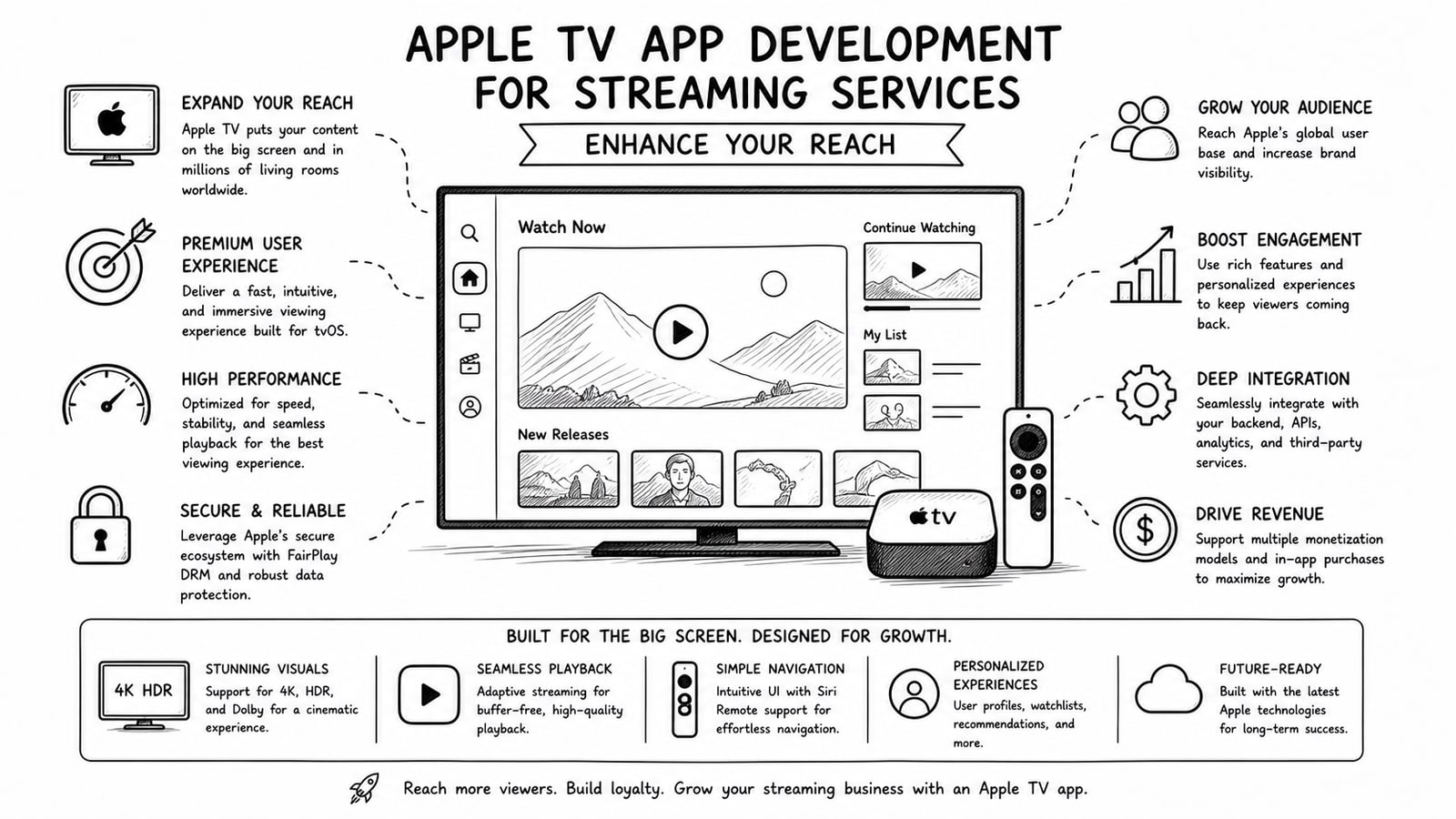
Apple TV app development for streaming services helps publishers move beyond phones and laptops into the living room, where viewing sessions are often longer and more intentional. For streaming brands that want broader distribution, stronger brand presence, and a better big-screen experience, building for Apple TV can become a meaningful growth channel instead of a side project.
Quick Answer
If your streaming service already has strong video content and a clear audience, an Apple TV app can expand your reach by putting that content on a dedicated big-screen platform inside Apple’s ecosystem. The best results usually come from combining polished tvOS design, dependable video delivery, clear account flows, and a release plan that supports discovery across Apple devices.
Key Takeaways
Apple TV gives streaming services a stronger living-room presence and can complement mobile and web distribution.
A successful tvOS app needs fast navigation, stable playback, simple sign-in, and a catalog structure built for remote-first browsing.
Apple’s App Store offers global distribution, while tvOS gives streaming brands access to platform features designed for premium viewing experiences.
Teams that want more cost control may prefer an OTT setup where they keep their own media infrastructure accounts rather than being locked into bundled platform fees.
Why Apple TV App Development Matters for Streaming Services
Streaming growth is no longer just about launching on one device and hoping users adapt. Viewers expect content to follow them across screens. Apple says the App Store lets developers reach people in 175 countries and regions and 40 languages, and it highlights discovery across more than 2 billion Apple devices. That broad ecosystem matters because a streaming brand can use one platform family to support awareness, acquisition, and retention across multiple Apple touchpoints.
For many media companies, Apple TV is especially valuable because it shifts the viewing experience into the room where premium content is most comfortable to watch. Sports, education, faith content, entertainment libraries, and niche subscription video products often gain more perceived value when the experience feels native on the television rather than stretched from a mobile app.
How Apple TV Expands Reach
Reach expands in several ways when you invest in Apple TV app development. First, you meet viewers on a device built for long-form playback. Second, you create another branded destination inside Apple’s ecosystem. Third, you reduce the friction that happens when users want to move from a phone or laptop to the television.
Big-screen visibility: your content sits where households make entertainment choices together.
Cross-device continuity: Apple’s platform ecosystem helps users discover and continue content across devices.
Brand trust: a polished native app can feel more credible than a workaround experience such as browser casting.
Retention potential: streaming services with a smooth TV interface often make repeat viewing easier.
What a Strong Apple TV Streaming App Needs
A streaming service cannot simply shrink its mobile product decisions into a television interface. Apple’s tvOS platform is designed for focused navigation, playback quality, and branded entertainment experiences. That means product teams should design for remote navigation, screen distance, and content-first decision making.
Core features to prioritize
Reliable playback with fast start times and stable adaptive streaming
Clear content hierarchy for home, categories, continue watching, and search
Simple authentication, including sign-in code flows when appropriate
Subscription-aware user journeys that make entitlement status obvious
Performance and analytics instrumentation so you can improve playback, engagement, and conversion over time
Apple TV App Development Roadmap
For most streaming services, the work is best approached as a product rollout rather than a one-time coding task.
Define the business goal. Decide whether Apple TV is mainly for subscriber growth, retention, upsells, ad-supported reach, or premium brand positioning.
Audit your current stack. Review CMS, DRM, user accounts, analytics, video pipeline, and entitlement logic before design starts.
Design for tvOS behavior. Build navigation, search, artwork, and playback controls for television use instead of copying your mobile layout.
Integrate media delivery and account systems. Make sure authentication, subscriptions, and content protection work consistently across devices.
Test aggressively before release. Playback edge cases, remote navigation, onboarding friction, and catalog performance need close review.
Measure after launch. Track app opens, video starts, completion rate, account linking success, and churn impact so the app keeps improving.
Platform Strategy: Native Apple TV App vs Limited TV Access
Not every streaming brand needs the same rollout path. The right choice depends on content volume, business model, and technical maturity.
Mobile and web only: fastest to maintain, but it leaves a gap for viewers who prefer television-first consumption.
Basic TV presence through casting or browser workarounds: lower effort, but often weaker branding and less consistent usability.
Native Apple TV app: more development effort up front, but better control over playback, design, user journeys, and premium perception.
Where Bitbyte3 Fits
For teams that want Apple TV reach without giving up control of their underlying media accounts, Bitbyte3 can fit as an OTT development and delivery partner. Bitbyte3 positions its solution around flexible implementation, lower platform overhead, and a Bring Your Own Account model for media services.
In practical terms, that means a client can use its own services for video and images, such as a Cloudflare Stream account for video delivery, instead of being forced into storage and usage fees inside a closed bundled system. This can give streaming businesses more visibility into costs, more ownership over infrastructure, and fewer restrictions as their catalog grows. If you want to explore that approach, see https://bitbyte3.com/.
Common Mistakes to Avoid
Treating Apple TV as an afterthought instead of a product surface with its own user behavior
Reusing a mobile-first interface that feels awkward with remote navigation
Ignoring sign-in friction and making account linking harder than it needs to be
Choosing a media stack without understanding long-term storage and delivery costs
Launching without analytics that can reveal playback issues or drop-off points
First-Hand Experience and Outcomes
[Add real delivery experience, launch outcomes, or a client case example from Bitbyte3 here. Do not replace this section with fictional metrics or unnamed case studies.]
FAQ
Why should a streaming service build an Apple TV app?
An Apple TV app helps a streaming service reach viewers on a dedicated big-screen platform, improve perceived product quality, and create a more complete multi-device experience.
Is Apple TV app development only useful for large streaming brands?
No. Niche subscription services, education platforms, faith-based streaming products, sports libraries, and creator-led video platforms can also benefit if television viewing is part of their audience behavior.
What is the biggest technical challenge in an Apple TV streaming app?
Playback reliability and account flow design are usually the biggest challenges. A streaming app must make video start quickly, stay stable, and handle login or subscription access without unnecessary friction.
Can Bitbyte3 support a Bring Your Own Account media setup?
Yes. Based on the provided positioning, Bitbyte3 supports a Bring Your Own Account approach so clients can use their own media accounts for services like video delivery and storage, which can improve cost control and infrastructure ownership.
How does Apple TV fit into a wider OTT strategy?
Apple TV works best as one part of a wider OTT strategy that also includes mobile apps, web access, analytics, media infrastructure, subscriptions, and a consistent brand experience across devices.
What should a streaming company prepare before starting tvOS development?
Before starting, a company should clarify its business goal, content model, user account logic, subscription rules, analytics requirements, and video delivery setup. That groundwork makes the Apple TV project faster and more consistent.
Conclusion
Apple TV app development is not just about shipping another app. It is about showing up where premium streaming experiences actually happen and building a product that feels native to that environment. For streaming services that want to increase visibility, improve retention, and strengthen their OTT presence, Apple TV can be a smart expansion channel. To evaluate a delivery approach that keeps more infrastructure control in your hands, visit https://bitbyte3.com/.
Methodology and Editorial Note
This article is based on Apple’s official developer and support documentation for tvOS, App Store distribution, and Apple TV app availability, along with Cloudflare’s official Stream documentation. Any company-specific performance outcomes, pricing comparisons, or customer stories should be added only when verified by Bitbyte3.
Sources and Further Reading
About the Author
R. Jabar
Marketing Strategist
R. Jabar is a marketing strategist who helps streaming and OTT brands turn complex product stories into clear, growth-driven messaging. She writes about audience acquisition, content monetization, and the marketing frameworks that help video platforms scale.
More from the blog
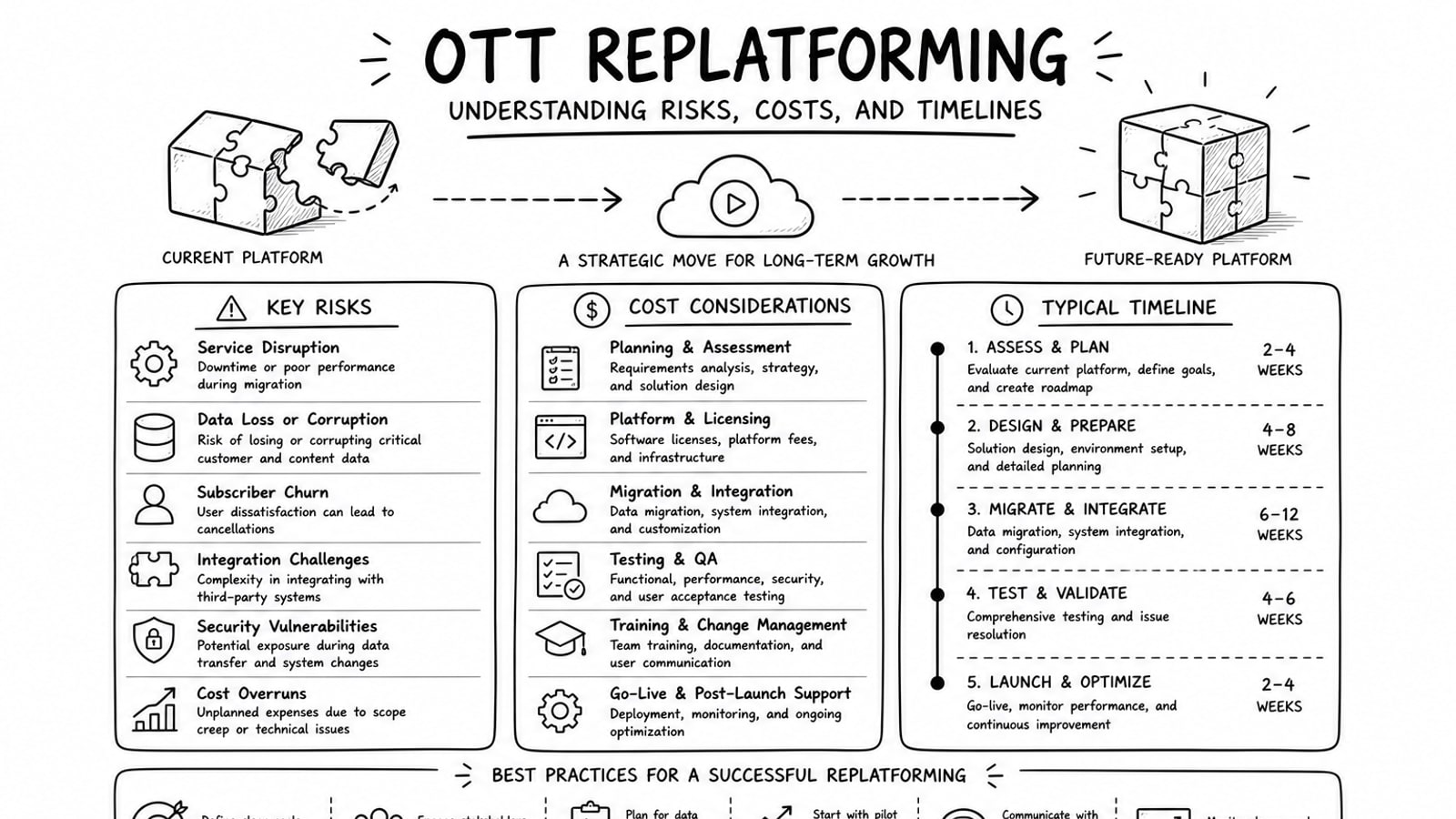
OTT Replatforming: Understanding Risks, Costs, and Timelines
A practical guide to OTT replatforming that explains why teams migrate, what usually drives risk and cost, how long projects tend to take, and where a BYOA delivery model can reduce lock-in.
Read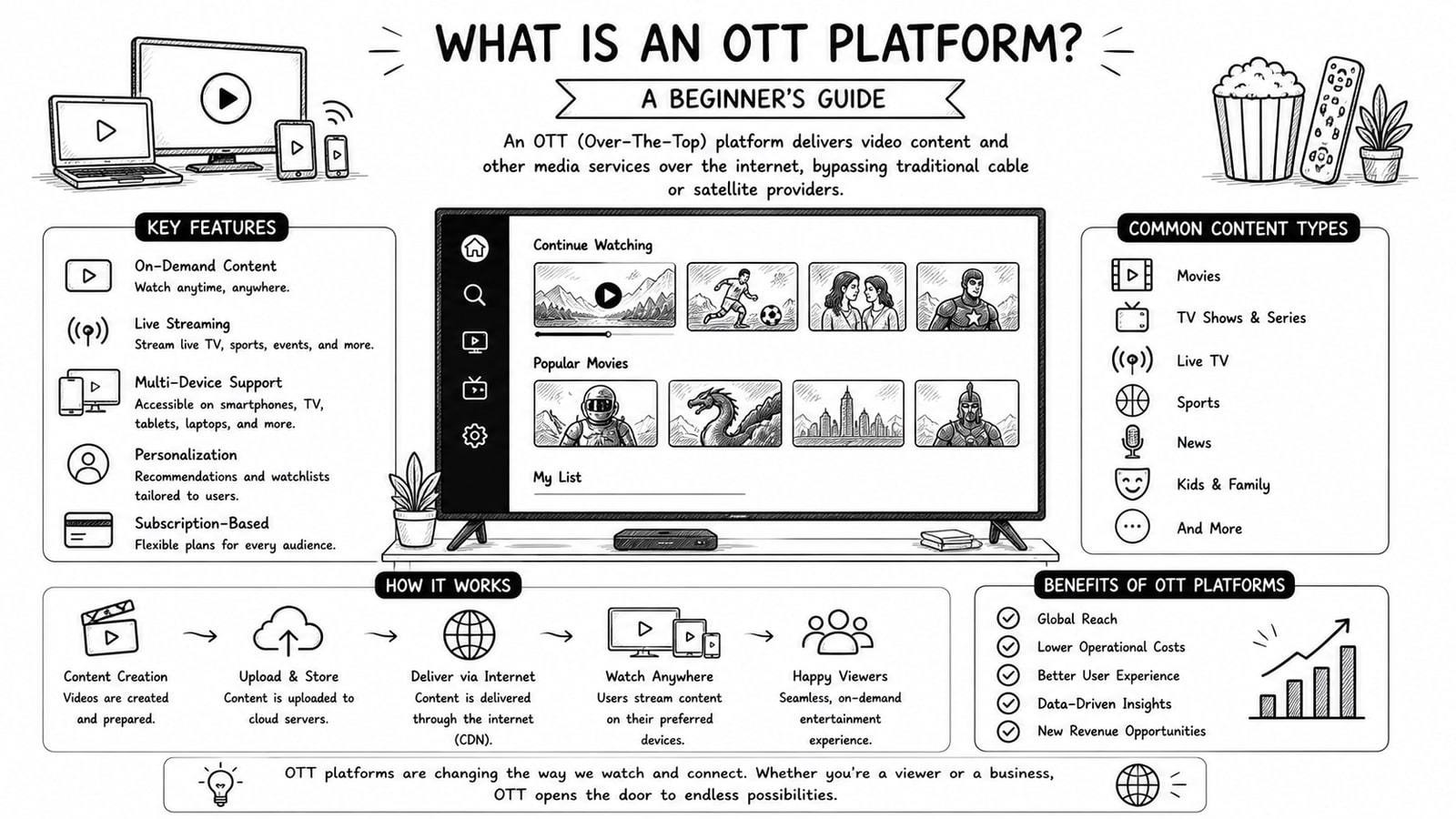
What Is an OTT Platform? A Beginner's Guide
A beginner-friendly guide to OTT platforms, how they work, key components, business models, and what to evaluate before choosing a solution.
Read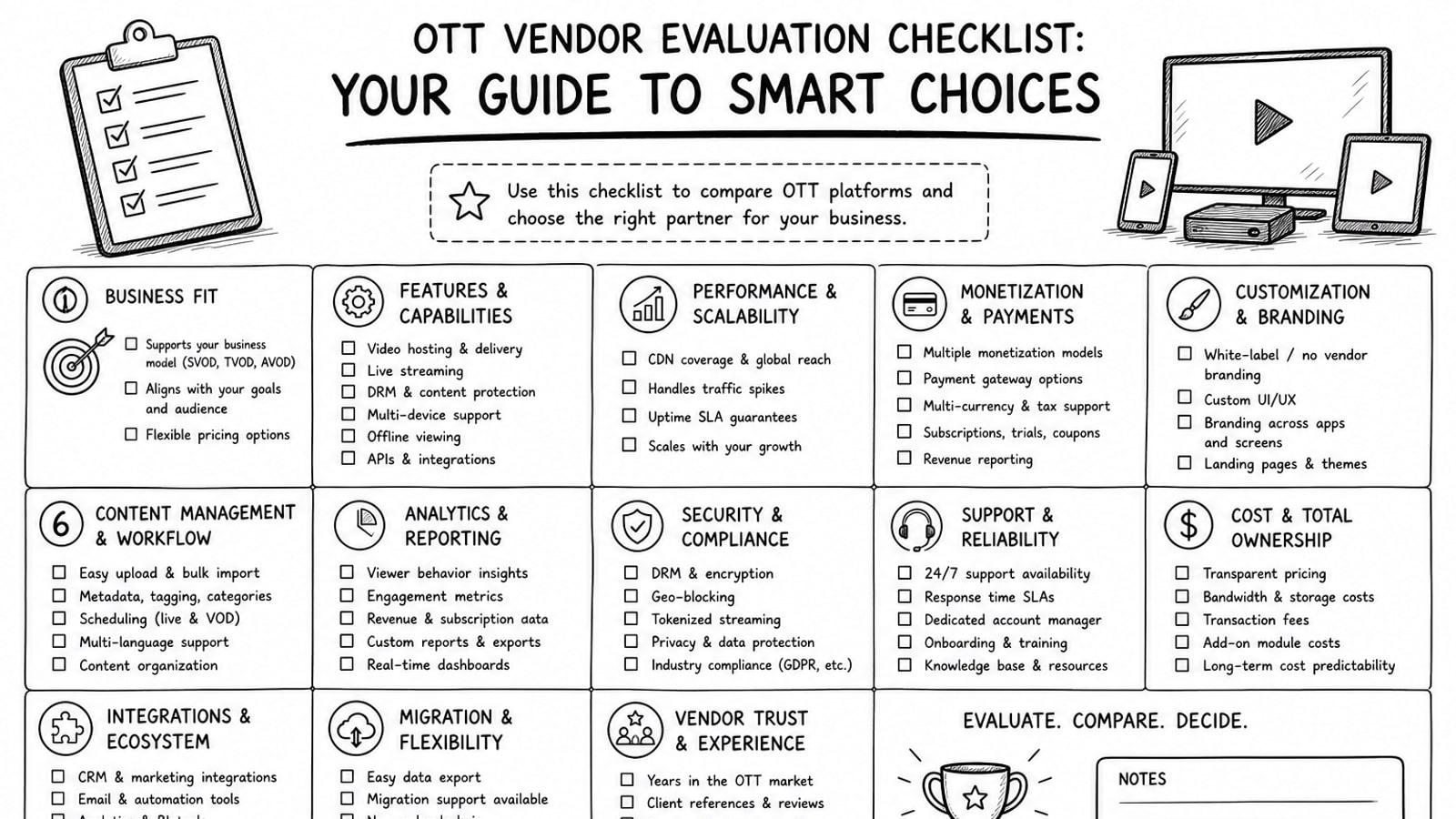
OTT Vendor Evaluation Checklist: Your Guide to Smart Choices
A practical guide to evaluating OTT vendors, with a clear checklist for delivery, security, workflow, cost, ownership, and long-term platform fit.
Read